
Getting started
Prepare Your Account, Invite Teammates And Plan Your First Website Launch.



Explore setup guides, AI knowledge advice and practical troubleshooting for your ChatFleek workspace.
Trusted by 1,250+ Happy Customers



Browse by topic
Find Guidance For Each Part Of Your Live Chat Workflow.
Prepare Your Account, Invite Teammates And Plan Your First Website Launch.
Understand Website Access, Installation Checks And Visitor-Facing Customization.
Prepare Clear Source Content, Test Questions And Review Unanswered Topics.
Organize Assignments, Keep Context Together And Make Agent Ownership Clear.
Plan Agent Access, Availability And Collaboration Across Your Departments.
Check Common Widget, Notification And Response Issues Before Contacting Support.
Popular GuidesBegin With The Guide Closest To Your Question. These Practical Summaries Explain What To Prepare And What A Good Next Step Looks Like.
Gather current help articles, remove duplicate or outdated instructions and assign a content owner. Test common questions before enabling AI replies.
Covers · Sources, review and handoff
Choose team responsibilities, agree how chats are assigned and explain when to use a private note. Test a transfer so context is not lost.
Covers · Ownership and collaboration
Confirm your site installation, greeting, visual styling and availability message. Test on desktop and mobile using a visitor's view.
Covers · Configuration and readiness
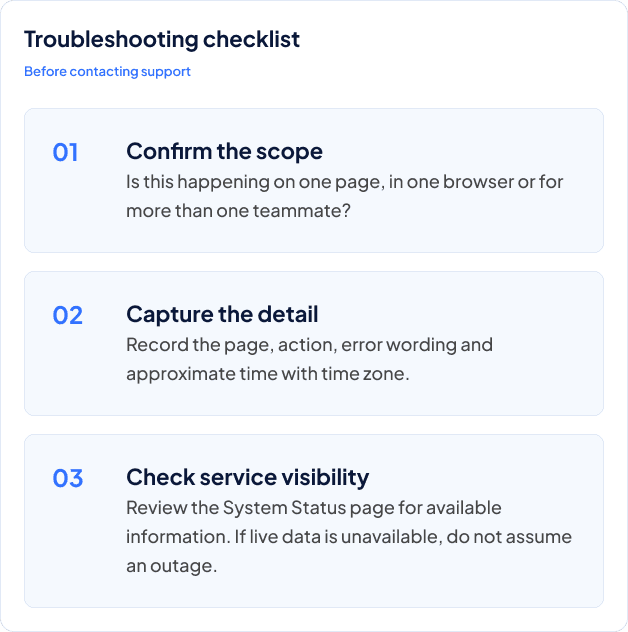
Guided troubleshooting
A Repeatable Check Can Separate A Local Setup Issue From A Question That Needs More Investigation. Keep A Note Of What You Tried So You Do Not Have To Start Again.